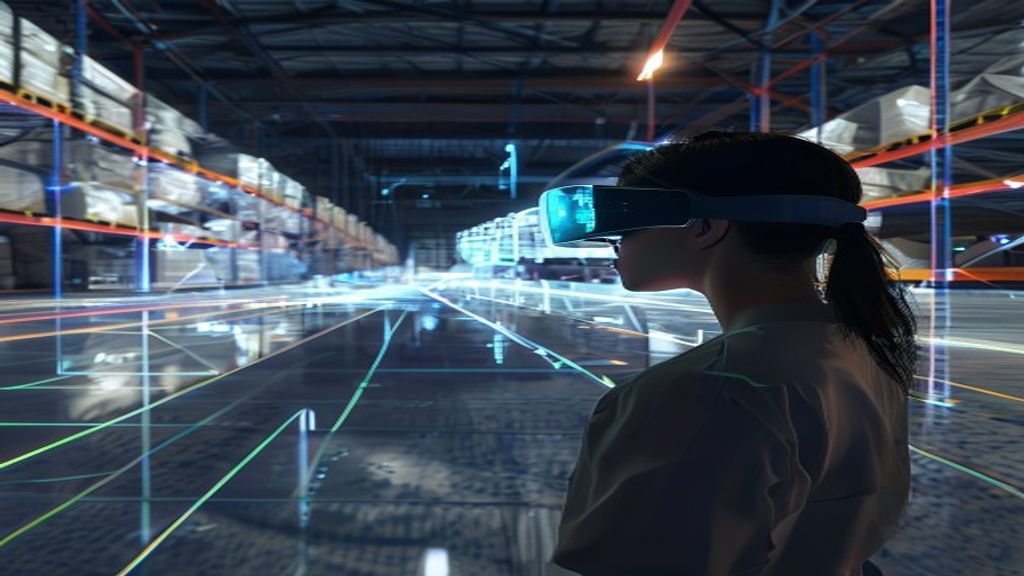
Spatial computing is moving from futuristic concept to everyday infrastructure. Instead of treating computers as rectangular screens you interact with using a mouse or touch, spatial computing blends digital information into the physical world—allowing people to perceive, navigate, and manipulate data in real space. Think AR headsets that overlay guidance on a workshop floor, VR training environments that teach complex procedures safely, and digital twins that simulate entire warehouses before a single pallet is moved.
In the past, “the next platform” was often just a faster browser or a better app. Today, the platform shift is fundamentally different: it’s about where computing happens. As cameras, sensors, displays, and AI improve, spatial computing is rising rapidly across industries—driving new products, new workflows, and new ways to build human-centered experiences.
What Is Spatial Computing (And Why It Matters)?
At its core, spatial computing refers to technologies that understand a user’s environment and enable interaction with digital content tied to physical space. While AR, VR, and mixed reality are often used interchangeably in casual conversation, spatial computing is broader: it encompasses the entire ecosystem of hardware, software, perception, and interaction techniques that make “digital + physical” feel seamless.
Key characteristics include:
- Spatial awareness: Devices use sensors, cameras, depth mapping, and computer vision to understand surroundings.
- Contextual interaction: Information appears anchored to real-world surfaces, locations, and objects.
- Natural input: Users can interact using gaze, gestures, voice, motion, and controllers—depending on the setup.
- Persistent environments: Many systems maintain the relationship between digital objects and the physical world over time.
The result is a new computing model where tasks aren’t only executed on screen—they’re executed in space.
From Screens to Space: The Big Shift Under the Hood
So why is spatial computing suddenly rising? The shift is being driven by multiple converging breakthroughs:
1) Better sensors and “understanding” hardware
Modern devices can estimate depth, track motion, and interpret surfaces more reliably than earlier generations. Depth cameras, LiDAR-like approaches, IMUs, and advanced SLAM (Simultaneous Localization and Mapping) help the system maintain spatial understanding even as users move.
2) More powerful AI perception
Computer vision has improved dramatically. Systems can detect planes, recognize environments, and understand object-like features at increasing accuracy. AI also enables real-time occlusion (where digital objects correctly hide behind physical ones) and improved scene stability.
3) Displays that feel less like “gizmos”
Head-mounted displays, lightweight optics, and improved rendering pipelines are making experiences more comfortable and convincing. As latency drops and visual quality rises, spatial interfaces become usable for longer sessions.
4) Integration with cloud and edge computing
Spatial computing isn’t only about local processing. Cloud services and edge inference can support mapping, content synchronization, analytics, and collaboration across devices. This makes it practical to scale beyond single-user demos.
The Core Building Blocks of Spatial Computing
To understand where the rise is going, it helps to break spatial computing into its major components.
Spatial Mapping and Localization
Localization determines where the device is in an environment. Mapping creates a digital representation of that environment. Together, they allow virtual objects to be placed and maintained in the correct physical positions.
Anchors, Planes, and World Coordinates
Instead of relying solely on screen coordinates, spatial systems use world coordinates: anchors attach content to a location, and planes help objects “sit” on surfaces. This is foundational for everything from virtual signage to engineering overlays.
Interaction Systems
Interaction in spatial computing includes:
- Gaze-based selection: Pointing with attention.
- Hand tracking and gestures: Natural movements to grab, rotate, or confirm.
- Voice commands: Reduce friction when hands are busy.
- Haptics and controllers: For precision, feedback, and training scenarios.
Real-Time Rendering and Occlusion
Rendering creates believable digital content. Occlusion—making virtual objects respect real-world depth—helps immersion. Without it, overlays feel like floating graphics rather than anchored objects.
Collaboration and Shared Spaces
Many of the most impactful use cases are multi-user. Shared spatial context enables teams to view the same digital assets, annotate environments, and coordinate tasks in a common frame of reference.
Why Spatial Computing Is Booming Now: The Business Push
Spatial computing is not just a consumer trend. It’s becoming a business capability. Companies adopt it when it reduces costs, improves safety, accelerates time-to-competency, and creates measurable operational advantages.
Training Without Risk
VR and mixed reality can simulate hazardous environments—construction sites, industrial equipment, emergency response, medical procedures—without endangering people or disrupting operations. In many cases, training becomes faster because learners can repeat scenarios and receive immediate feedback.
Design, Prototyping, and Visualization
Engineering teams can “walk through” designs, test spatial relationships, and spot conflicts earlier. Instead of interpreting 2D drawings, stakeholders can experience the product at real scale, iterate quickly, and align cross-functional teams.
Maintenance, Repair, and Field Guidance
Imagine technicians viewing step-by-step instructions anchored to the exact machine they’re working on. Spatial overlays can reduce errors, shorten repair time, and improve compliance. With remote assistance, experts can guide on-site staff in real time.
Retail, Wayfinding, and Customer Experiences
Spatial computing enables immersive product discovery and guided shopping experiences. Wayfinding overlays can improve navigation in large venues. Retailers can also use AR to visualize products in customers’ spaces, helping reduce returns and boost confidence.
Healthcare and Therapeutic Applications
From rehabilitation exercises to clinician training, spatial experiences can support new care models. Additionally, spatial visualization can help doctors review anatomical structures in context.
Digital Twins Meet Spatial Computing
One of the biggest catalysts behind spatial computing is the growth of digital twins. A digital twin is a living digital representation of a physical system—an environment, asset, process, or entire facility.
Spatial computing adds a powerful layer: it makes digital twins navigable in real space. Instead of only viewing simulations in a dashboard, users can inspect them from inside the environment, compare current vs. predicted conditions, and interact with scenarios.
For example:
- Manufacturing: Overlay predicted bottlenecks onto a production floor.
- Smart buildings: Visualize energy usage patterns and occupancy trends.
- Logistics: Simulate route changes and warehouse layouts before implementation.
- Urban planning: Explore infrastructure proposals at human scale and assess impacts.
This is why spatial computing is more than an interface—it’s a bridge between perception and decision-making.
Spatial Computing Use Cases You’ll See Everywhere
Here are the categories where spatial computing adoption is accelerating.
1) Industrial and Manufacturing
- Assisted assembly with step-by-step overlays
- Inspection guidance and anomaly visualization
- Safety training and hazard simulations
2) Construction and Architecture
- On-site progress tracking
- Reality capture and spatial measurement
- Walkthroughs for clients and contractors
3) Logistics and Warehousing
- Pick-path optimization in AR
- Hands-free inventory scanning
- Scenario planning with digital twins
4) Healthcare
- Training and procedural rehearsal
- Rehabilitation and interactive therapy
- Spatial visualization for diagnostics support
5) Education and Training
- Immersive science and history experiences
- Skill rehearsal for trades and operations
- Collaborative learning in shared virtual spaces
6) Gaming and Entertainment
While the headlines often focus on gaming, the real momentum is broader: spatial computing provides natural embodied interaction—where players (and audiences) move through environments rather than just clicking through them.
The Consumer Side: From Curiosity to Habit
Consumer adoption is often slower than enterprise deployment, but the path is familiar: enthusiasts try the tech first, developers build ecosystems, and experiences become more comfortable and useful over time.
For spatial computing to become habitual, several elements matter:
- Frictionless onboarding: Setup should be quick, safe, and intuitive.
- Comfort and mobility: Lighter devices and better ergonomics expand usage windows.
- Clear daily value: If the experience helps with navigation, learning, or creativity, people return.
- Content ecosystems: A broad library of applications and tools drives experimentation.
As these improve, spatial interfaces can shift from novelty to “new normal.”
Challenges and Constraints (That Companies Must Solve)
The rise of spatial computing is exciting, but it comes with technical and human challenges.
Privacy and Data Security
Spatial devices frequently use cameras and sensors, which raises concerns about capturing sensitive environments. Clear privacy controls, on-device processing, user consent, and robust security practices are essential.
Safety and Usability
In physical environments, users must avoid collisions and stay aware of hazards. Spatial systems need strong safety mechanisms, including boundary detection and guidance that prevents accidents.
Interoperability and Standards
Spatial computing involves multiple layers—devices, sensors, anchors, and content formats. Without interoperability, developers face fragmentation. Industry alignment and standards will be a major factor in sustainable growth.
Performance and Latency
For immersion and comfort, spatial systems must render quickly and maintain stable tracking. Lag or drift can break the illusion and reduce trust.
Content Creation at Scale
Great spatial experiences require more than 3D models. Developers must consider placement, interaction design, and environment-specific mapping. Tooling and workflows for creating and deploying spatial content are still evolving.
How to Prepare for the Spatial Computing Era
If your organization is exploring spatial computing, focus on outcomes and readiness—not just hardware selection.
Start With High-Value Use Cases
Look for workflows where spatial visualization improves accuracy, reduces time, or lowers risk. Training, maintenance, field guidance, and visualization are common entry points because they show ROI quickly.
Build a Spatial Data Strategy
Successful deployments rely on spatial information: environment scans, mappings, asset libraries, and metadata. Plan how you’ll capture, store, update, and secure spatial data.
Design for Human-Centered Interaction
Spatial UX differs from traditional app UX. Prioritize readability, intuitive gesture/voice controls, accessibility, and error prevention. Don’t make users fight the interface—make the interface serve the task.
Plan for Collaboration
Many teams will work in shared environments. Invest in collaboration features, role-based access, and synchronization so knowledge travels smoothly between locations.
Measure Impact
Track metrics like reduced training time, fewer maintenance errors, faster onboarding, improved throughput, and increased adoption. Spatial computing should be evaluated like any strategic transformation project.
What the Next Few Years Could Look Like
The rise of spatial computing is likely to accelerate as ecosystems mature. Here are plausible directions the industry may take:
- More “mixed” experiences: Blending AR and VR capabilities into more flexible workflows.
- Better multi-user persistence: Shared spaces that remain consistent over time and across devices.
- AI-assisted spatial copilots: Guidance that responds to what the user sees, not just what they click.
- Wider adoption of digital twins: From enterprise pilots to everyday operational tools.
- Standardized content pipelines: Making it easier to create and reuse spatial assets.
Ultimately, spatial computing will likely become less of a standalone product category and more of a layer integrated into everyday tools—work instructions, design review, customer service, education, and beyond.
Conclusion: Spatial Computing Is the Interface for Reality
The rise of spatial computing signals a new era in how technology interacts with humans. Instead of pulling us into digital screens, it brings digital capability into our physical lives—anchored to real space, guided by context, and powered by AI-driven understanding.
While challenges remain—especially around privacy, standards, and content creation—the momentum is undeniable. As digital twins expand, as devices improve, and as developers learn to design compelling spatial experiences, the gap between “what’s possible” and “what’s practical” will continue to shrink.
The question isn’t whether spatial computing will matter. It already is. The real question is: who will build the experiences and workflows that make it useful, trustworthy, and transformative?
document.head.appendChild(script);
document.head.appendChild(script);